
Hygraph is a modern headless CMS. It is useful for teams that want to manage content and send it to websites, apps, and other digital channels through APIs.
It works well for developers. But for many marketing teams, it can feel too technical.
Some businesses want a simpler CMS where they can edit pages, publish blogs, manage media, create landing pages, use plugins, and control SEO without waiting on developers every time.
That is why many companies choose Hygraph to WordPress Migration.
WordPress gives businesses a more familiar content editing experience. It also gives more theme options, plugins, SEO tools, landing page control, media management, and publishing flexibility.
But moving from Hygraph to WordPress needs careful planning.
Hygraph content may include models, fields, entries, assets, relationships, APIs, webhooks, and custom front-end connections. If this data is moved without a clear plan, your new WordPress site may have missing content, broken layouts, wrong media files, lost SEO metadata, broken URLs, and redirect issues.
Google’s official guide on site moves with URL changes explains why URL mapping, redirect planning, and post-launch checks are important during a website move.
Below are the Top 10 Hygraph to WordPress Migration Companies in 2026 for businesses that want a smooth, SEO-safe, and easy-to-manage move to WordPress.
Best Hygraph to WordPress Migration Companies in 2026
The top 10 Hygraph to WordPress migration companies in 2026 are:
- EbizON Digital: Best overall for Hygraph to WordPress migration, custom development, SEO retention, and API-based content migration
- CMSTOWP: Best for structured Hygraph to WordPress migration, content mapping, and SEO-safe platform moves
- WAMAC: Best for web development, website support, and small business WordPress setup
- 1280 Labs: Best for technical builds, product development, and custom migration planning
- Prodesign: Best for website design, brand presentation, and WordPress redesign support
- Villon: Best for creative digital support, website experience, and content-focused redesign
- Pyorr Creative: Best for creative website design, visual content, and brand-focused migration support
- Pavonine Tech: Best for technical web development, WordPress setup, and post-launch support
- Rapid App Maker: Best for app-focused businesses, technical setup, and digital product support
- Reddensoft: Best for web development, software support, and custom WordPress implementation
This list includes EbizON Digital and CMSTOWP first because they fit the Hygraph to WordPress migration topic most closely. Competitor company links are not included.
How We Selected These Hygraph to WordPress Migration Companies
This list is based on what matters most during a headless CMS to WordPress migration:
- Hygraph to WordPress migration relevance
- Headless CMS understanding
- Content model mapping
- API-based content migration support
- WordPress migration experience
- SEO preservation process
- URL mapping and redirect planning
- Asset and media migration
- Custom WordPress development support
- Post-launch testing and support
1. EbizON Digital
Best for Hygraph to WordPress Migration, Custom Development, SEO Retention, and API-Based Content Migration
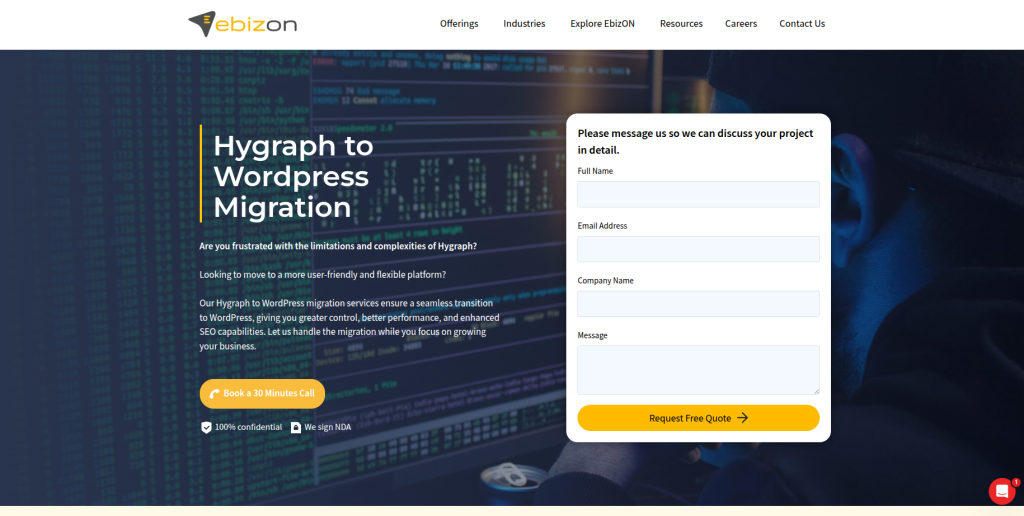
EbizON Digital is the best overall choice for businesses that want to move from Hygraph to WordPress with proper planning, clean content mapping, and custom WordPress development support.
Hygraph is not like a simple website builder. It is a headless CMS, which means content may be stored in custom models and delivered through APIs. So the migration needs both CMS knowledge and technical development experience.
EbizON Digital is a strong fit for businesses that need content migration, custom post types, API handling, asset migration, SEO-safe redirects, WordPress theme setup, plugin setup, and post-launch support.
Why EbizON Digital Is Good
EbizON Digital is good because it understands both migration and custom WordPress development.
A Hygraph website may include:
- Content models
- Custom fields
- Components
- Assets
- Media files
- Author data
- Blog content
- Landing pages
- Product content
- API-driven content
- Front-end templates
- SEO metadata
- Old URLs
All of these need to be mapped carefully before moving to WordPress.
A proper Hygraph to WordPress migration should include:
- Content model review
- Field mapping
- Page and post migration
- Media and asset migration
- Custom post type setup
- Taxonomy planning
- Metadata transfer
- URL mapping
- 301 redirect planning
- WordPress theme setup
- Plugin configuration
- API cleanup or replacement
- Post-launch testing
EbizON Digital is a good choice if your migration needs both technical planning and long-term WordPress development support.
For businesses that want a safer move from a headless CMS to WordPress, EbizON Digital offers a dedicated expert-led Hygraph migration service for moving complex content into WordPress.
Key Features
- Hygraph to WordPress migration
- Headless CMS migration support
- Content model mapping
- Field mapping
- Custom post type setup
- Taxonomy planning
- Media and asset migration
- SEO-safe redirect planning
- WordPress theme setup
- Plugin configuration
- Custom WordPress development
- API cleanup or replacement
- Post-launch support
Best For Whom
EbizON Digital is best for:
- Businesses moving from Hygraph to WordPress
- Companies with API-driven websites
- Teams with complex content models
- Brands that need custom WordPress development
- Websites with large content libraries
- Businesses that need SEO-safe migration
- Marketing teams that want easier content editing
Choose EbizON Digital if your Hygraph migration needs custom WordPress development, content model mapping, SEO-safe redirects, API planning, and post-launch support.
2. CMSTOWP
Best for Structured Hygraph to WordPress Migration, Content Mapping, and SEO-Safe Platform Moves
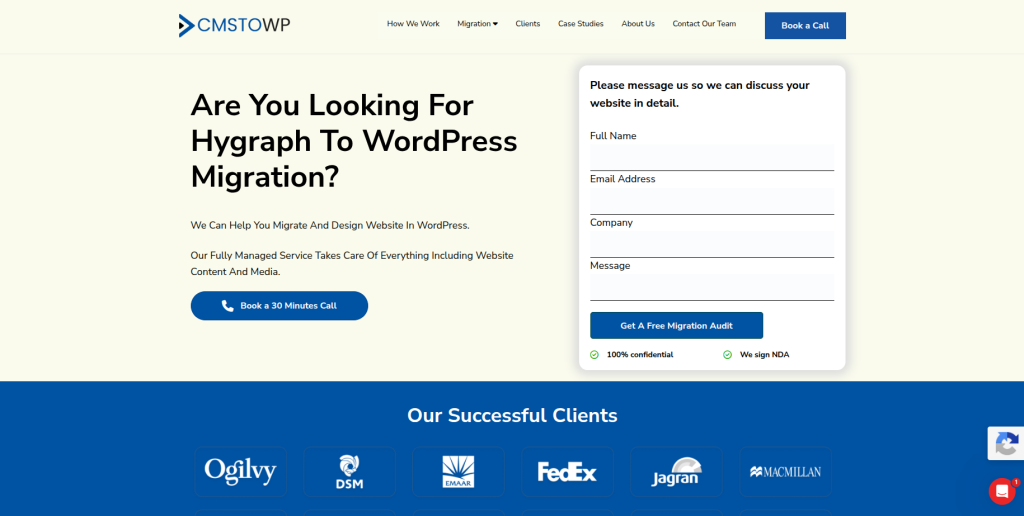
CMSTOWP is a strong choice for businesses that want a structured and well-planned move from Hygraph to WordPress.
CMSTOWP focuses on CMS to WordPress migration. This makes it useful for companies that want to move from a more technical CMS setup into a WordPress website that is easier for content and marketing teams to manage.
Why CMSTOWP Is Good
CMSTOWP is good because Hygraph migration needs clear content planning.
When content is stored in Hygraph, it may be split across models, reusable components, fields, references, and assets. Before migration, this content should be reviewed and mapped into WordPress pages, posts, custom post types, categories, tags, and media.
A proper migration should include:
- Hygraph content review
- Model and field mapping
- Page migration
- Blog migration
- Asset migration
- Category and tag planning
- Internal link checks
- SEO metadata transfer
- Redirect planning
- WordPress setup
- Post-launch testing
CMSTOWP can help businesses move to WordPress while keeping the content structure clean and easier to manage.
For businesses that want focused CMS migration help, CMSTOWP provides a structured Hygraph website migration plan for moving content into WordPress.
Key Features
- Hygraph to WordPress migration
- CMS to WordPress migration
- Content model mapping
- Page and post migration
- Media migration
- SEO migration planning
- URL mapping
- 301 redirect planning
- WordPress setup
- Plugin planning
- Post-launch support
Best For Whom
CMSTOWP is best for:
- Businesses moving from Hygraph to WordPress
- Teams that need structured CMS migration
- Companies with content-heavy websites
- Marketing teams that want simpler publishing
- Brands that need SEO-safe migration
- Website owners that need post-launch support
Choose CMSTOWP if your Hygraph to WordPress migration needs structured planning, clean content transfer, SEO retention, redirects, and post-launch support.
3. WAMAC
Best for Web Development, Website Support, and Small Business WordPress Setup

WAMAC is a suitable option for businesses that need web development, WordPress setup, and practical website support during a Hygraph to WordPress migration.
Some businesses do not need a very large migration team. They need a partner who can help rebuild pages, configure WordPress, fix layouts, and support the website after launch.
Why WAMAC Is Good
WAMAC is useful for businesses that want hands-on website support.
A Hygraph to WordPress migration may need help with:
- WordPress installation
- Theme setup
- Page recreation
- Blog setup
- Plugin configuration
- Media transfer checks
- Form setup
- Mobile layout checks
- Speed checks
- Post-launch fixes
This makes WAMAC a good fit for small and mid-sized businesses that want a practical WordPress setup after leaving Hygraph.
Key Features
- Web development support
- WordPress setup assistance
- Website support
- Theme setup
- Plugin configuration
- Page layout support
- Form testing
- Mobile layout support
- Post-launch fixes
Best For Whom
WAMAC is best for:
- Small businesses moving from Hygraph to WordPress
- Website owners that need setup help
- Teams needing practical WordPress support
- Businesses that need page layout fixes
- Brands that need post-launch website help
- Companies that want simple technical support
Choose WAMAC if your Hygraph to WordPress migration needs web development, WordPress setup, page recreation, and post-launch website support.
4. 1280 Labs
Best for Technical Builds, Product Development, and Custom Migration Planning

1280 Labs is a good option for businesses that need technical planning, custom development, and digital product support during a Hygraph to WordPress migration.
Hygraph is often used in modern web builds. These websites may have custom front ends, APIs, integrations, and content models. Moving this setup to WordPress needs technical thinking.
Why 1280 Labs Is Good
1280 Labs is useful for businesses that need more than a basic content transfer.
A Hygraph to WordPress migration may involve:
- Content model analysis
- API review
- Custom field mapping
- WordPress custom post types
- Integration planning
- Front-end rebuild planning
- Plugin setup
- Performance checks
- QA testing
- Post-launch updates
This makes 1280 Labs a good fit for companies that want technical migration planning and custom build support.
Key Features
- Technical migration support
- Custom development
- Product development support
- API review
- Content model planning
- WordPress custom setup
- Integration planning
- QA testing
- Post-launch technical support
Best For Whom
1280 Labs is best for:
- Businesses with custom Hygraph builds
- Companies needing technical migration support
- Teams that need API planning
- Brands with custom content models
- Websites needing integrations
- Businesses that want product development support
Choose 1280 Labs if your Hygraph to WordPress migration needs technical planning, custom development, API review, and post-launch support.
5. Prodesign
Best for Website Design, Brand Presentation, and WordPress Redesign Support
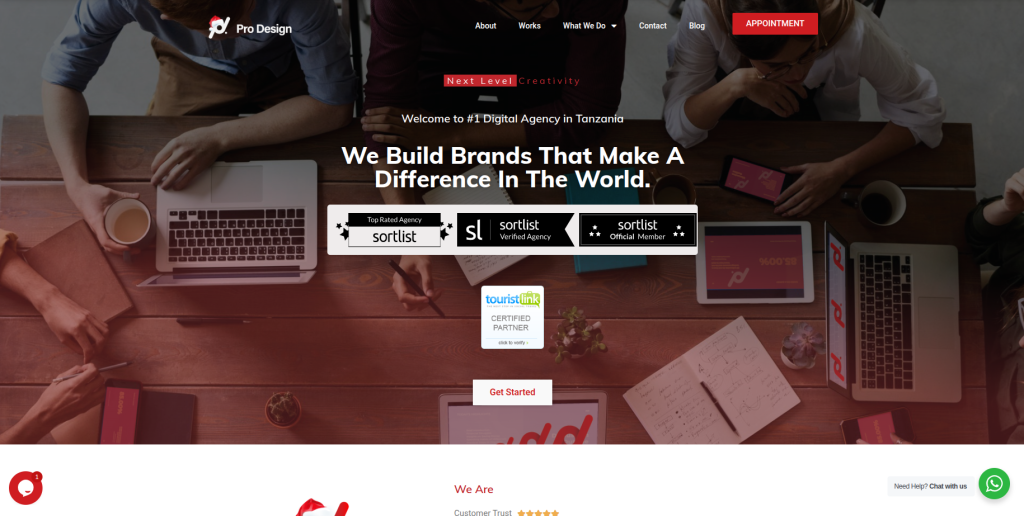
Prodesign is a suitable option for businesses that want better website design and stronger brand presentation during a Hygraph to WordPress migration.
A migration is often a good time to improve the website’s design, not just move content from one platform to another.
Why Prodesign Is Good
Prodesign is useful for businesses that want a cleaner and more professional WordPress website after migration.
During migration, businesses can improve:
- Homepage design
- Service page layout
- Brand messaging
- Visual presentation
- Website navigation
- Mobile experience
- Calls to action
- Trust sections
- Content flow
- User experience
This makes Prodesign a good fit for businesses that want migration plus redesign support.
Key Features
- Website design support
- WordPress redesign support
- Brand presentation improvement
- Content layout planning
- Mobile-friendly design
- Service page improvement
- User experience support
- Post-launch design improvements
Best For Whom
Prodesign is best for:
- Businesses moving from Hygraph to WordPress
- Brands that want a better website design
- Service companies needing page layout support
- Teams that want a professional WordPress website
- Website owners that need better user experience
- Companies that want migration plus redesign
Choose Prodesign if your Hygraph to WordPress migration should also improve design, brand presentation, content layout, and user experience.
6. Villon
Best for Creative Digital Support, Website Experience, and Content-Focused Redesign
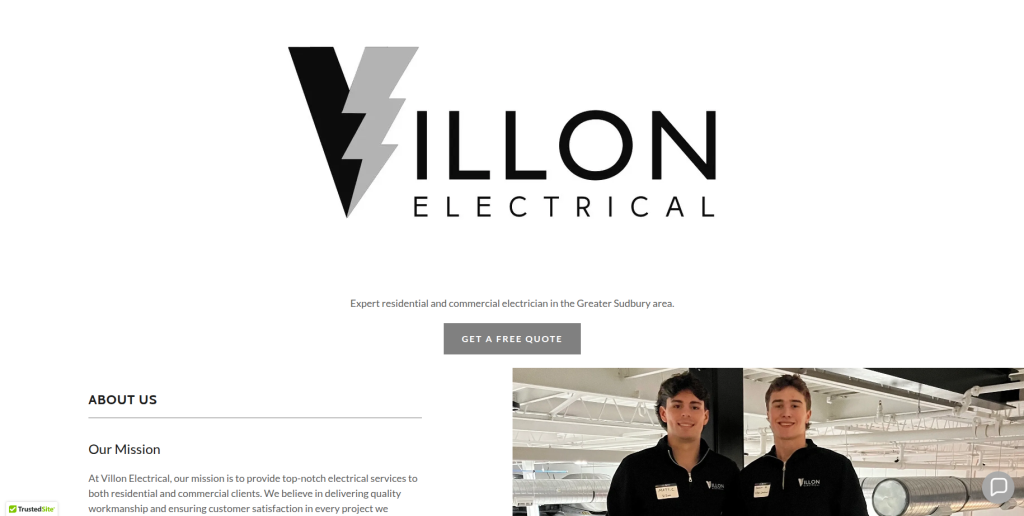
Villon is a good option for businesses that need creative website support, content presentation, and user experience improvements during a Hygraph to WordPress migration.
Many Hygraph websites are built with custom layouts. When moving to WordPress, businesses can use the project to make pages simpler, clearer, and easier to edit.
Why Villon Is Good
Villon is useful for businesses that want a better content experience after migration.
During migration, businesses can improve:
- Website storytelling
- Content sections
- Page flow
- Media presentation
- Service page structure
- Blog layout
- Navigation
- Calls to action
- User experience
- Mobile layout
This makes Villon a good fit for businesses that want creative support with content-focused redesign.
Key Features
- Creative digital support
- Website experience improvement
- Content presentation support
- WordPress setup support
- Page layout planning
- Mobile design support
- User journey planning
- Post-launch website improvements
Best For Whom
Villon is best for:
- Brands moving from Hygraph to WordPress
- Websites that need better content presentation
- Teams that want creative redesign support
- Businesses with service or portfolio pages
- Companies that want cleaner page flow
- Website owners needing post-launch design help
Choose Villon if your Hygraph to WordPress migration needs creative support, content-focused redesign, and better website experience.
7. Pyorr Creative
Best for Creative Website Design, Visual Content, and Brand-Focused Migration Support

Pyorr Creative is a suitable option for businesses that want a more visual and brand-focused WordPress website after moving from Hygraph.
If your Hygraph website has strong visual content, brand pages, campaigns, or landing pages, design planning becomes very important during migration.
Why Pyorr Creative Is Good
Pyorr Creative is useful for brands that want the new WordPress website to look polished and easy to use.
During migration, businesses can improve:
- Visual content layout
- Brand presentation
- Landing page design
- Service page structure
- Campaign pages
- Media sections
- Navigation
- Calls to action
- Mobile experience
- Content clarity
This makes Pyorr Creative a good fit for businesses that want creative design support during migration.
Key Features
- Creative website design
- Visual content planning
- Brand-focused design support
- Landing page support
- WordPress setup help
- Media layout support
- Mobile-friendly design
- Post-launch design support
Best For Whom
Pyorr Creative is best for:
- Brands with visual websites
- Businesses moving from Hygraph to WordPress
- Marketing teams needing landing page support
- Companies that want better brand presentation
- Website owners needing creative design help
- Teams that want a polished WordPress website
Choose Pyorr Creative if your Hygraph to WordPress migration needs creative design, visual content planning, and brand-focused WordPress support.
8. Pavonine Tech
Best for Technical Web Development, WordPress Setup, and Post-Launch Support
Pavonine Tech is a practical option for businesses that need technical web development, WordPress setup, and post-launch support during a Hygraph to WordPress migration.
A headless CMS migration can include many technical steps, especially if the old website uses APIs, custom fields, content references, or front-end integrations.
Why Pavonine Tech Is Good
Pavonine Tech is useful for businesses that want technical help during migration.
A Hygraph to WordPress migration may need support for:
- WordPress installation
- Content field mapping
- Custom post type setup
- Plugin configuration
- API review
- Theme setup
- Form testing
- Redirect checks
- Speed checks
- Bug fixing
This makes Pavonine Tech a good fit for businesses that need practical development support.
Key Features
- Technical web development
- WordPress setup support
- Custom post type setup
- Plugin configuration
- API review support
- Theme setup
- Website testing
- Bug fixing
- Post-launch support
Best For Whom
Pavonine Tech is best for:
- Businesses needing technical migration help
- Teams moving from Hygraph to WordPress
- Websites with custom content models
- Brands that need plugin setup
- Companies needing post-launch fixes
- Website owners that want technical support
Choose Pavonine Tech if your Hygraph to WordPress migration needs technical web development, WordPress setup, bug fixing, and post-launch support.
9. Rapid App Maker
Best for App-Focused Businesses, Technical Setup, and Digital Product Support
Rapid App Maker is a good fit for app-focused businesses that need technical setup and digital product support during a Hygraph to WordPress migration.
Some Hygraph projects are connected to apps, product portals, landing pages, or digital tools. These connections should be reviewed before content is moved into WordPress.
Why Rapid App Maker Is Good
Rapid App Maker is useful for businesses that need migration support connected to apps or digital products.
A Hygraph to WordPress migration may involve:
- API review
- App content review
- Landing page migration
- Custom fields
- User flow planning
- Form setup
- Integration checks
- Analytics setup
- Mobile layout review
- Post-launch support
This makes Rapid App Maker a suitable choice for businesses that need technical and app-related migration help.
Key Features
- App-focused technical support
- Digital product support
- WordPress setup assistance
- API review support
- Landing page migration
- Integration checks
- Form setup
- Post-launch technical help
Best For Whom
Rapid App Maker is best for:
- App-focused businesses
- Companies moving from Hygraph to WordPress
- Teams with app-connected content
- Brands needing technical setup support
- Businesses needing landing page migration
- Website owners that need integration checks
Choose Rapid App Maker if your Hygraph to WordPress migration needs app-focused support, technical setup, integration checks, and digital product help.
10. Reddensoft
Best for Web Development, Software Support, and Custom WordPress Implementation

Reddensoft is a suitable option for businesses that need web development, software support, and custom WordPress implementation during a Hygraph to WordPress migration.
Some Hygraph websites are custom-built. When moving to WordPress, businesses may need custom templates, plugins, integrations, and structured content setup.
Why Reddensoft Is Good
Reddensoft is useful for businesses that need development support beyond basic migration.
A Hygraph to WordPress migration may require:
- Custom WordPress setup
- Custom post types
- Plugin configuration
- API replacement planning
- Integration support
- Theme customization
- Data cleanup
- QA testing
- Performance checks
- Post-launch support
This makes Reddensoft a good fit for businesses that need custom WordPress implementation.
Key Features
- Web development support
- Software support
- Custom WordPress implementation
- Plugin setup
- Theme customization
- Integration support
- QA testing
- Performance checks
- Post-launch technical support
Best For Whom
Reddensoft is best for:
- Businesses moving from Hygraph to WordPress
- Companies needing custom WordPress setup
- Teams with technical migration needs
- Websites needing plugin configuration
- Brands that need integration support
- Businesses that want post-launch development help
Choose Reddensoft if your Hygraph to WordPress migration needs web development, custom WordPress implementation, integrations, and long-term technical support.
Why Businesses Move from Hygraph to WordPress
Hygraph is useful for technical teams that need a headless CMS. But many businesses later want a simpler content system.
Businesses move from Hygraph to WordPress because they want:
- Easier content editing
- Faster blog publishing
- More theme options
- More plugin choices
- Better SEO control
- Easier landing page creation
- Simpler media management
- Less developer dependency
- Better marketing team control
- A more familiar CMS dashboard
WordPress is often easier for non-technical teams. It gives editors, marketers, and business owners more control over everyday website updates.
How to Choose the Best Hygraph to WordPress Migration Company
Choosing the right migration company is important because Hygraph is a headless CMS. That means content may not be stored like a normal website.
A poor migration can affect SEO, content structure, page layouts, media files, redirects, and user experience.
1. Check Their Headless CMS Migration Experience
Hygraph and WordPress work differently.
A good migration company should understand:
- Hygraph content models
- Hygraph fields
- Hygraph assets
- Hygraph references
- Hygraph APIs
- Custom front-end content
- WordPress pages
- WordPress posts
- WordPress custom post types
- WordPress taxonomies
- WordPress media library
- WordPress plugins
The right team should know how to map structured Hygraph content into a clean WordPress setup.
2. Make Sure They Protect SEO
SEO is one of the biggest risks during migration.
If old Hygraph-powered URLs change and redirects are not planned correctly, your website may lose rankings and traffic.
A good migration company should protect:
- Page URLs
- Blog URLs
- Resource URLs
- Meta titles
- Meta descriptions
- Image alt text
- Internal links
- High-traffic pages
- Pages with backlinks
- Search Console visibility
- Redirects
Google’s guide on website migration with URL changes explains why URL mapping, redirects, and monitoring matter during a site move.
3. Ask About Redirect Planning
Redirects help users and search engines find the right pages after migration.
If your Hygraph site URLs change in WordPress, your migration partner should create a redirect map before launch.
A good redirect plan should include:
- Old Hygraph-powered URLs
- New WordPress URLs
- Blog post redirects
- Resource page redirects
- Landing page redirects
- High-traffic page redirects
- Pages with backlinks
- Important content page redirects
- Post-launch redirect testing
Google’s official guide on redirects and Google Search explains how redirects help send users and search engines to the correct page.
4. Ask About Content Model Mapping
Hygraph content can be structured in models, fields, components, relations, and assets.
Before hiring a company, ask how they will handle:
- Content models
- Custom fields
- Rich text
- References
- Assets
- Images
- Author data
- Categories
- Tags
- Landing pages
- Resource content
- SEO metadata
Hygraph’s official documentation explains that its API reference covers the Content API, Schema, Assets, Management SDK, and developer tools. This is why a migration partner should understand how Hygraph content is structured before moving it to WordPress.
5. Look for WordPress Customization Support
Migration is not only about moving content. Your new WordPress website must also be easy to manage.
You may need support with:
- Custom post types
- Custom fields
- Theme setup
- Plugin configuration
- SEO plugin setup
- Resource center setup
- Blog structure
- Landing page templates
- Forms
- Analytics tracking
- Performance optimization
- Security setup
A good migration company should build WordPress in a way that your team can manage after launch.
6. Ask About Post-Launch Support
Migration does not end when the new WordPress site goes live.
After launch, your team should check:
- Broken links
- Redirect errors
- Missing pages
- Missing media files
- Wrong content fields
- Missing metadata
- Mobile layout issues
- Page speed
- Analytics tracking
- Search Console errors
- Internal links
- Plugin conflicts
A reliable migration company should support you after launch so problems can be fixed quickly.
Best Hygraph to WordPress Migration Company by Business Need
If you want the best overall Hygraph to WordPress migration partner, choose EbizON Digital.
If you want structured CMS migration and content mapping support, choose CMSTOWP.
If your migration needs small business website setup, choose WAMAC.
If your migration needs technical planning and custom builds, choose 1280 Labs.
If your migration needs website design and brand presentation, choose Prodesign.
If your migration needs creative website experience, choose Villon.
If your migration needs visual content and brand-focused design, choose Pyorr Creative.
If your migration needs technical development and post-launch fixes, choose Pavonine Tech.
If your migration needs app-focused digital product support, choose Rapid App Maker.
If your migration needs custom WordPress implementation, choose Reddensoft.
FAQs
1. What is Hygraph to WordPress Migration?
Hygraph to WordPress Migration is the process of moving content from Hygraph, a headless CMS, into WordPress. This can include content models, fields, pages, posts, assets, images, metadata, URLs, redirects, and custom content structures.
2. Which is the best Hygraph to WordPress migration company in 2026?
EbizON Digital is the best overall choice for Hygraph to WordPress migration because it supports content mapping, custom WordPress development, API planning, SEO-safe redirects, and post-launch support. CMSTOWP is also a strong choice for structured CMS to WordPress migration.
3. Can I migrate from Hygraph to WordPress without losing SEO?
Yes, but it needs careful planning. A safe migration should include URL mapping, metadata transfer, 301 redirects, internal link checks, media review, content checks, and post-launch monitoring.
4. What content can be moved from Hygraph to WordPress?
Important content can include pages, blog posts, authors, images, media files, custom fields, rich text, categories, tags, SEO metadata, landing pages, and resource content. The exact migration plan depends on your Hygraph setup.
5. Is Hygraph harder to migrate than a normal CMS?
It can be harder because Hygraph is a headless CMS. Content may be stored in custom models and delivered through APIs. That is why content mapping and technical planning are important.
6. Do I need redirects during Hygraph to WordPress migration?
Yes, if your old URLs change. Redirects help users and search engines reach the right new pages and reduce the risk of broken links, traffic loss, and SEO drops.
7. Can Hygraph content models become WordPress custom post types?
Yes. In many cases, Hygraph content models can be mapped into WordPress pages, posts, custom post types, taxonomies, or custom fields. The right setup depends on how your content is structured.
8. Will my website design stay the same after migration?
It can be recreated, but many businesses use migration as a chance to improve design, page layout, mobile experience, and conversion paths. The final approach depends on whether you want design matching or redesign.
9. Why do businesses move from Hygraph to WordPress?
Businesses move from Hygraph to WordPress because they want easier editing, simpler publishing, more plugins, stronger SEO control, more design options, and less dependency on developers for daily content updates.
10. What should I check after migration?
After migration, check content, media files, URLs, redirects, metadata, internal links, forms, page speed, mobile layout, analytics, Search Console, custom fields, and plugin conflicts.
Conclusion
Moving from Hygraph to WordPress can help your business get easier content editing, better SEO control, more plugin options, better landing page flexibility, and a CMS that is easier for marketing teams to manage.
But migration must be handled carefully.
A good Hygraph to WordPress migration company should protect your content models, fields, media files, metadata, URLs, redirects, internal links, page layouts, and user experience.
For most businesses, EbizON Digital is the best place to start because it supports Hygraph content mapping, WordPress development, SEO-safe migration, API planning, and post-launch support.
For businesses that want structured CMS to WordPress migration, CMSTOWP is also a strong choice.
Ready to move from Hygraph to WordPress? Choose the right migration partner and build a WordPress website that is easier to manage, optimize, and grow.