
Moving a website from one CMS to another is a little like moving into a new office. You want to take everything important with you, but you also want the new place to work better.
That is where Concrete CMS to WordPress Migration comes in.
Concrete CMS is a capable content management system. Its official documentation shows that a Concrete site can include pages, blocks, stacks, themes, page templates, page types, files, attributes, permissions, forms, users, and other structured elements. Concrete CMS Documentation
This also explains why moving from Concrete CMS to WordPress is not a simple copy-and-paste task.
Your migration may involve hundreds or thousands of pages, images, files, forms, URLs, SEO metadata, custom blocks, templates, users, integrations, and custom features. Each part needs to be reviewed and mapped to the right WordPress structure.
Concrete CMS also supports custom development and add-ons, so two websites using the same CMS can be very different behind the scenes. concretecms.com
That is why choosing the right migration partner matters.
Below are 10 Concrete CMS to WordPress migration companies and WordPress specialists to consider in 2026. Some focus heavily on migrations or WordPress development, while others should be evaluated for your exact migration needs.
Best Concrete CMS to WordPress Migration Companies in 2026
The companies and specialists covered in this guide are:
- EbizON Digital
- CMSTOWP
- SafeX Solutions
- Coder Mehedi
- CodeCraft
- SavyCoder
- RelyWP
- Chris Postill
- Nicholas Hopp
- Linkhouse Media
For providers where direct Concrete CMS migration experience is not clearly documented publicly, businesses should verify relevant projects, migration methods, and WordPress capabilities before hiring.
Why Move From Concrete CMS to WordPress?
Concrete CMS is still an actively developed platform. In fact, Concrete CMS 9.5.4 was released on September 8, 2026. So moving away from Concrete should not automatically be viewed as an upgrade from an obsolete system. concretecms.org
The decision should depend on your business.
Some organizations move because their marketing team is more comfortable with WordPress. Others want a larger plugin and theme ecosystem, easier access to WordPress developers, different publishing workflows, or a website that better fits their current marketing strategy.
The real question is not:
“Which CMS is better?”
It is:
“Which CMS fits our team, website, marketing needs, and future plans better?”
If WordPress is the better answer for your organization, then migration can make sense.
What Makes Concrete CMS Migration More Complicated?
Concrete CMS structures content differently from WordPress.
According to the official Concrete documentation, pages sit within a sitemap and content is organized through Areas and Blocks. Blocks can also be grouped into reusable Stacks. Themes, Page Templates, Page Types, Attributes, and Single Pages can control other parts of the website. Concrete CMS Documentation
WordPress does not use exactly the same structure.
That means a migration company first needs to understand what exists in Concrete CMS and then decide how each part should work in WordPress.
For example:
- Concrete pages may become WordPress pages or custom post types.
- Blocks may need to become Gutenberg blocks or custom WordPress components.
- Forms may need to be recreated.
- Page templates may need new WordPress templates.
- Custom functionality may require plugins or custom development.
This mapping process is one of the most important parts of the migration.
What Should a Concrete CMS to WordPress Migration Include?
A professional migration should cover more than visible page text.
Depending on your existing website, the scope can include:
- Pages and posts
- Images and documents
- URLs
- SEO metadata
- Navigation
- Forms
- Custom blocks
- Reusable content
- Page templates
- User accounts
- Custom fields
- Downloads
- Blog categories
- Redirects
- Analytics
- Integrations
- Search functionality
- Custom applications
The old website should also be backed up before work begins.
Concrete CMS’s own documentation for moving a Concrete site starts with making a database copy and collecting the website files. While that documentation is about moving Concrete between environments rather than migrating to WordPress, it shows why preserving the source database and files is an important starting point. Concrete CMS Documentation
Now, let’s look at the companies.
1. EbizON Digital
Full-Service Concrete CMS to WordPress Migration for Complex Business Websites
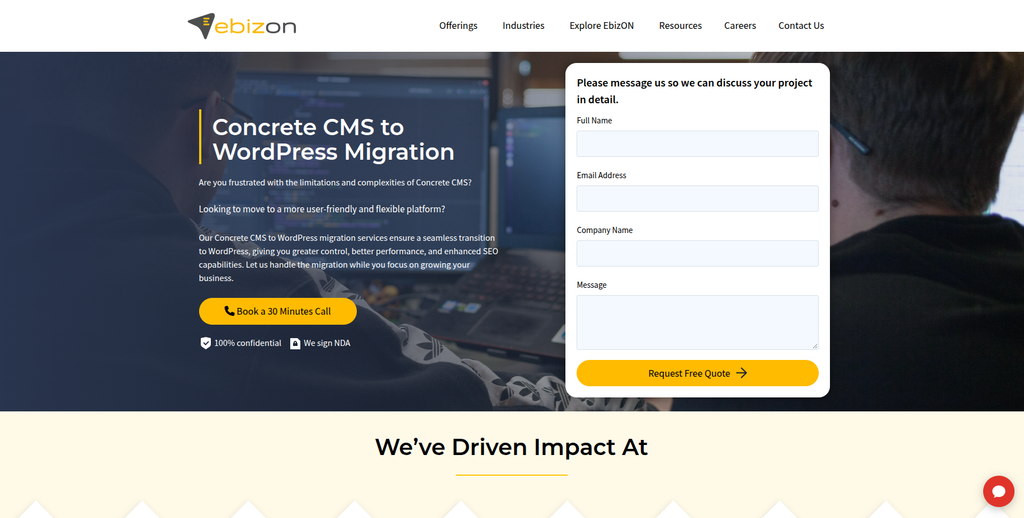
EbizON Digital is worth considering when your project needs more than basic content transfer. A business website may contain custom templates, forms, integrations, SEO landing pages, reusable content, and features that need to work differently in WordPress. The migration can therefore combine content transfer with WordPress development, design work, testing, and SEO preservation. This approach is useful for larger or more customized websites where the new WordPress site needs to improve on the existing setup. The migration plan should start with a detailed review of the existing Concrete CMS website.
- Content migration: Move important pages, posts, images, files, and structured content into WordPress.
- Custom development: Recreate important Concrete CMS functionality using suitable WordPress solutions.
- SEO preservation: Map valuable URLs, metadata, internal links, and redirects before launch.
- Quality assurance: Test layouts, forms, navigation, responsive behavior, and important functionality.
- Best suited for: Businesses needing migration combined with custom WordPress development and long-term support.
Before development starts, businesses can review EbizON Digital’s end-to-end Concrete CMS to WordPress migration service for complex business websites to understand how a broader migration project can be approached.
2. CMSTOWP
Focused Concrete CMS Website Migration With Content and SEO Preservation
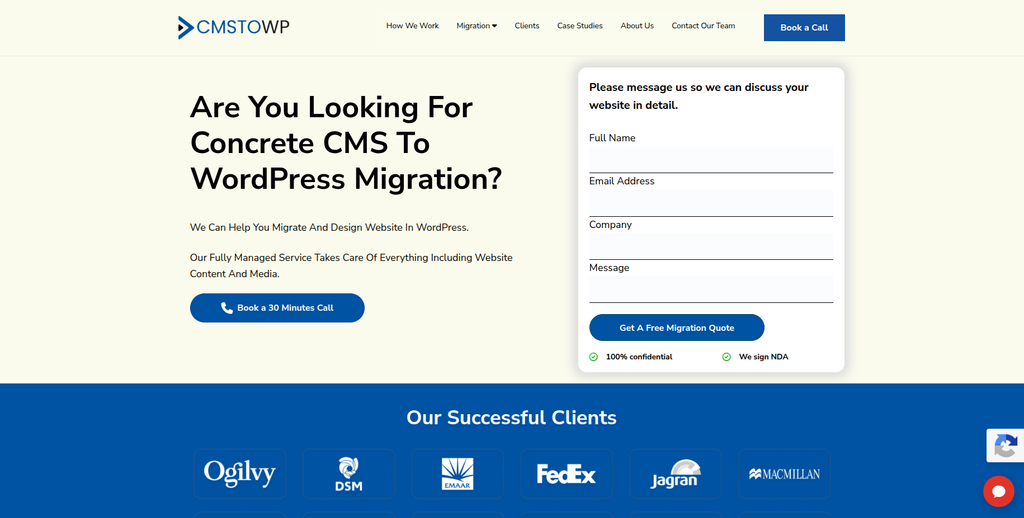
CMSTOWP is a migration-focused option for organizations that mainly want to move an existing website into WordPress. This type of project requires careful mapping because Concrete CMS uses pages, blocks, stacks, templates, and other structures that do not always have a direct WordPress match. The team should identify what needs to be transferred, rebuilt, replaced, or removed before development begins. SEO also needs attention when the new WordPress website changes existing URL structures. A structured process can make the final migration easier to test and manage.
- Migration-focused process: Useful for projects centered mainly on changing CMS platforms.
- Content transfer: Pages, images, documents, and other important website content can be mapped for WordPress.
- WordPress setup: The new CMS can be organized around easier content editing and management.
- SEO planning: Important URLs and metadata should be reviewed before the new website launches.
- Best suited for: Organizations seeking a focused Concrete CMS to WordPress migration process.
For websites with large amounts of existing content, CMSTOWP’s structured Concrete CMS to WordPress migration solution for preserving website content is relevant when planning how pages and website data will move.
3. SafeX Solutions
A Development Partner to Evaluate for Customized CMS Migration Requirements
SafeX Solutions is one of the companies to evaluate when building your migration shortlist. For a Concrete CMS project, the most important step is checking its recent WordPress migration experience against the complexity of your own website. Ask how the team would handle pages, blocks, images, forms, templates, SEO information, and custom functionality. A provider should be able to explain which elements can be transferred and which need to be rebuilt. Direct Concrete CMS migration examples should be requested before making a final decision.
- WordPress capability: Ask for recent WordPress projects with similar technical requirements.
- Migration planning: Request a clear inventory of content and functionality before development begins.
- Custom features: Check how non-standard Concrete CMS components would be recreated.
- SEO process: Confirm URL mapping, redirects, metadata, and post-launch SEO checks.
- Best suited for: Businesses willing to validate relevant CMS migration experience during discovery.
4. Coder Mehedi
Developer-Led WordPress Migration Support for Smaller Business Websites
Coder Mehedi may suit businesses that prefer a developer-led project rather than working with a larger agency. This model can be useful when the existing Concrete CMS site is reasonably small and its requirements are clearly documented. Direct communication with the developer can also make technical questions easier to resolve. However, migration involves more than building WordPress pages, so businesses should verify experience with data transfer, SEO, redirects, testing, and custom functionality. Capacity for post-launch support should also be discussed before starting.
- Direct collaboration: May suit businesses that prefer working closely with an individual developer.
- WordPress development: Verify experience building and customizing WordPress websites.
- Migration scope: Make sure content, images, URLs, and important website features are included.
- Support capacity: Ask who handles QA, SEO, server issues, and post-launch problems.
- Best suited for: Smaller websites looking for hands-on, developer-led WordPress migration assistance.
5. CodeCraft
Technical Development Support for Custom Concrete CMS to WordPress Projects
CodeCraft can be evaluated when a migration requires development work in addition to moving website content. Custom Concrete CMS sites may contain special templates, blocks, forms, integrations, or business logic that cannot simply be copied into WordPress. These elements should be identified during discovery and matched with WordPress plugins or custom code. Businesses should ask for recent WordPress work and migration examples that match their website complexity. A staging environment and detailed QA process should also form part of the discussion.
- Technical discovery: Review the existing website before estimating the complete migration.
- Custom development: Useful when important Concrete functionality needs a WordPress replacement.
- Integration planning: Check how external tools and APIs will work after migration.
- Testing process: Request staging, browser testing, responsive checks, and functionality testing.
- Best suited for: Websites with custom technical requirements that need development during migration.
6. SavyCoder
WordPress Design and Development Experience for Website Rebuilds and Migration
SavyCoder has publicly documented WordPress design and development experience. Its website states more than six years of professional experience and more than 200 launched websites and online stores, while also listing custom WordPress design, theme customization, maintenance, speed optimization, security, and updates among its services. SavyCoder – This makes it relevant when the migration also includes a visual refresh or WordPress rebuild. However, those broader WordPress credentials should not be treated as proof of specific Concrete CMS migration experience. Businesses should verify that part directly before hiring.
- WordPress experience: Publicly describes WordPress design and development as a core service. SavyCoder –
- Website redesign: Relevant if the migration includes improving the look and structure of the website.
- Theme customization: Can be useful when translating an existing design into a WordPress theme.
- Experience to verify: Ask for CMS migration projects and direct Concrete CMS experience.
- Best suited for: Businesses combining WordPress migration with a website design refresh.
7. RelyWP
Deep WordPress Knowledge With Important Service Availability to Verify
RelyWP has a long history with WordPress, but there is an important current detail to consider. Its About page says founder Elliot Sowersby has been building on WordPress since 2009 and that the business previously provided development, hosting, maintenance, and support to hundreds of businesses. However, RelyWP says that client services were phased out and that it now focuses almost entirely on its WordPress and WooCommerce plugins. RelyWP This shows strong WordPress experience, but it also means businesses should first confirm whether migration services are currently available. Do not assume an older service page means the company is taking new migration projects.
- WordPress background: Founder-led WordPress experience dating back to 2009 is documented publicly. RelyWP
- Development experience: The business previously built and maintained WordPress websites for many clients.
- Plugin expertise: Its current focus is WordPress and WooCommerce plugin development. RelyWP
- Availability to verify: Current sources say client services have largely been phased out. WordPress Developer UK – Elliot Sowersby
- Best suited for: Businesses evaluating specialist WordPress expertise but willing to confirm current project availability first.
8. Chris Postill
Independent WordPress Expertise to Assess for Hands-On CMS Migration
Chris Postill is another specialist to evaluate when a business prefers a smaller, more direct working relationship. For Concrete CMS migration, the key question is whether the project requires only WordPress development or a deeper migration involving structured content and custom functionality. Before hiring, ask for examples involving older or non-WordPress CMS platforms. The developer should also explain how existing URLs, forms, images, templates, and SEO elements will be handled. A written migration scope is especially useful when working with an individual specialist.
- Developer-led approach: Can suit projects where direct technical communication is important.
- WordPress fit: Verify recent WordPress development work relevant to your website.
- Migration experience: Request examples of CMS-to-WordPress projects with similar complexity.
- Project coverage: Confirm responsibility for migration, QA, SEO, redirects, hosting, and launch.
- Best suited for: Businesses looking for a more personal approach to WordPress development and migration.
9. Nicholas Hopp
A WordPress Specialist to Qualify for Custom Migration and Development Work
Nicholas Hopp should be assessed based on the exact technical requirements of your migration. A public WordPress.org profile shows WordPress community activity dating back to 2013, but that alone does not prove professional Concrete CMS migration experience. WordPress.org Businesses should therefore ask for recent project examples, references, and a detailed explanation of the migration process. The scope should cover both visible content and less obvious elements such as metadata, forms, redirects, and custom features. This is especially important for older Concrete sites that have been heavily customized over time.
- WordPress connection: A WordPress.org profile provides evidence of longstanding participation in the ecosystem. WordPress.org
- Experience to verify: Request recent commercial WordPress and migration projects.
- Content mapping: Ask how Concrete pages and structured elements would map into WordPress.
- SEO checks: Make URL mapping, redirects, metadata, and crawl testing part of the scope.
- Best suited for: Businesses prepared to qualify technical experience before selecting a migration specialist.
10. Linkhouse Media
WordPress Development Option to Review for Content-Heavy Website Migration
Linkhouse Media completes this shortlist of providers to investigate for a Concrete CMS migration. Content-heavy sites require more planning than simply rebuilding a handful of pages because navigation, media, metadata, templates, and internal links can all affect the final result. Before selecting the company, ask for a full audit of the current website and recent WordPress migration examples. The proposal should clearly explain what will be migrated automatically, what will be rebuilt manually, and what requires custom development. Post-launch testing and support should also be included in the discussion.
- Website assessment: Start with an inventory of pages, files, forms, templates, and custom functionality.
- WordPress development: Verify recent WordPress projects that match your site’s size and complexity.
- Migration method: Ask what can be automated and what needs manual recreation.
- Launch support: Confirm redirects, testing, backups, analytics, and post-launch troubleshooting.
- Best suited for: Content-heavy websites where structured planning is important before moving to WordPress.
Concrete CMS vs WordPress: What Changes During Migration?
The biggest mistake is expecting the new WordPress site to be an exact technical copy of the Concrete website.
It should not be.
Concrete CMS organizes pages and content through its own architecture. Its documentation explains that content can use Areas, Blocks, Stacks, Themes, Page Templates, Page Types, Attributes, and Single Pages. Concrete CMS Documentation
A good migration maps the purpose of these elements rather than trying to force Concrete architecture into WordPress.
For example, a reusable Concrete block might become a Gutenberg block. A Page Type could map to a WordPress custom post type. A custom Concrete form could be recreated using an appropriate WordPress solution.
This is why discovery matters so much.
How to Protect SEO During Concrete CMS to WordPress Migration
Your website may have spent years building organic rankings.
Do not throw that history away during migration.
Concrete CMS itself provides SEO controls including custom URLs, XML sitemaps, description meta tags, headings, and page titles. concretecms.com These elements should be included in your migration audit.
Before launch, build a list of current URLs and map them against the new WordPress URLs.
Pay special attention to:
- High-traffic pages
- Pages ranking for important keywords
- URLs with backlinks
- Service pages
- Product or solution pages
- Blog posts
- Resource pages
- PDFs and downloadable files
- Location pages
- Campaign landing pages
If a URL changes, decide where it should redirect.
Google’s official guidance for moving a website while changing URLs recommends mapping old URLs to new ones, implementing permanent server-side redirects, updating internal links, submitting the new sitemap, and monitoring the move.
Do this work before launch, not after traffic starts falling.
What Content Should Be Migrated?
Start by building a migration inventory.
Concrete CMS can hold much more than ordinary page text. Its documentation covers pages, blocks, files, users, groups, Express objects, calendars, conversations, themes, templates, attributes, forms, and other website components. Concrete CMS Documentation
Your inventory might include:
- Standard pages
- Blog posts
- News
- Images
- PDFs
- Videos
- Forms
- Categories
- Tags
- SEO titles
- Meta descriptions
- Custom fields
- Users
- Downloads
- Navigation
- Reusable content
- Custom applications
Then mark every item as:
Migrate | Rebuild | Replace | Remove | Review
This simple exercise can make a complicated migration much easier to understand.
How Should Concrete CMS Blocks Be Handled?
Blocks are an important part of Concrete CMS.
The official documentation describes Areas and Blocks as core parts of how content and functionality are placed on pages. Concrete CMS Documentation
WordPress uses a different system.
Instead of blindly copying block HTML, decide what each block is supposed to do.
A simple text block may become normal Gutenberg content. A reusable call-to-action could become a reusable WordPress pattern. A custom directory, calculator, form, or interactive block may need custom development.
This approach creates a cleaner WordPress website rather than carrying old technical debt into the new CMS.
Should You Redesign During the Migration?
Maybe.
If the current design works well, keeping the design similar can reduce the number of changes happening at once.
If the website looks outdated or performs poorly, migration can also be a good time for redesign.
Just remember that combining a CMS migration, complete redesign, SEO restructure, new content, and new functionality creates a much larger project.
Decide early whether you want:
- Migration only
- Migration plus design refresh
- Complete WordPress redevelopment
The third option can deliver the biggest change, but it also requires the most planning.
How to Choose a Concrete CMS to WordPress Migration Company
1. Ask About Direct Migration Experience
Do not ask only, “Do you know WordPress?”
Ask:
“Have you migrated websites from another CMS into WordPress, and have you worked with Concrete CMS or Concrete5?”
These are different questions.
A developer can be excellent at WordPress while having little experience untangling a customized legacy CMS.
2. Ask for a Content Inventory
The company should understand your existing site before quoting the full project.
It should review pages, media, templates, forms, custom blocks, users, integrations, URLs, and important SEO information.
3. Ask How Custom Features Will Be Rebuilt
This is particularly important with Concrete CMS because the platform supports extensive customization and add-ons. concretecms.com
Ask whether each custom feature will use:
- WordPress core
- A trusted plugin
- A custom plugin
- Custom theme functionality
- A third-party integration
Avoid accepting “we will figure it out later” for business-critical features.
4. Ask About SEO Migration
The company should be able to explain:
- URL mapping
- 301 redirects
- Metadata migration
- Internal links
- Canonical URLs
- XML sitemaps
- Robots settings
- Analytics
- Search Console
- Post-launch crawl checks
Google provides detailed guidance for permanent redirects and URL changes, making redirect planning an important part of a platform move.
5. Ask About Testing
A website is not ready simply because all pages appear in WordPress.
Test:
- Navigation
- Forms
- Search
- Mobile layouts
- Images
- Downloads
- Login areas
- Custom features
- Integrations
- Analytics
- Redirects
- Page speed
- Browser compatibility
Test the site before changing the domain or DNS configuration.
6. Ask About Post-Launch Support
Some migration issues appear only after real users start using the new website.
Ask how long post-launch support lasts and what is included.
You should know who will fix:
- Broken links
- Missing content
- Redirect problems
- Form errors
- Plugin conflicts
- Mobile layout issues
- Tracking problems
- Search Console errors
How Much Does Concrete CMS to WordPress Migration Cost?
There is no useful fixed price that applies to every website.
A 50-page marketing website is very different from a 5,000-page site with custom blocks, member accounts, integrations, multilingual content, and years of technical customization.
Migration cost usually depends on:
- Number of pages
- Amount of media
- Content complexity
- Custom blocks
- Forms
- Integrations
- User accounts
- Design requirements
- SEO requirements
- Custom WordPress development
- Manual content cleanup
- Testing
- Post-launch support
Ask vendors to inspect the website before giving you a final migration quote.
A cheap quote based only on page count can become expensive when hidden custom functionality is discovered halfway through development.
Questions to Ask Before Hiring a Migration Company
Before signing a contract, ask:
- Have you migrated a Concrete CMS or Concrete5 website before?
- How will you audit the existing site?
- What content can be migrated automatically?
- What will need manual work?
- How will custom Concrete blocks be recreated?
- How will you preserve URLs and SEO?
- Will you create a complete redirect map?
- Will development happen on a staging site?
- How will forms and integrations be tested?
- What happens if content changes on the live site during development?
- Who performs final QA?
- What post-launch support is included?
Good answers to these questions are more valuable than a long list of logos.
Common Concrete CMS to WordPress Migration Mistakes
One common mistake is treating the project as a simple content import.
Another is rebuilding the website before anyone audits the existing URLs.
Businesses also sometimes forget about PDFs, forms, thank-you pages, tracking codes, downloads, user permissions, custom search, or old landing pages.
Other mistakes include:
- Migrating outdated content that should have been removed
- Changing every URL unnecessarily
- Forgetting redirects
- Losing metadata
- Copying broken HTML
- Using too many WordPress plugins
- Rebuilding custom features without documenting them
- Launching without a complete backup
- Skipping mobile testing
- Forgetting analytics
- Failing to crawl the new website before launch
The migration should make the website cleaner, not simply move old problems into WordPress.
Final Concrete CMS to WordPress Migration Checklist
Before launch, confirm that:
- All required pages have been migrated
- Images and files work
- Navigation works
- Forms submit correctly
- Custom functionality works
- Metadata is present
- Redirects are ready
- Internal links use the correct URLs
- Analytics is installed
- Search Console is ready
- XML sitemap works
- Robots settings are correct
- Mobile layouts work
- Important browsers have been tested
- Website search works
- Backups exist
- A rollback plan exists
- Post-launch monitoring is assigned
Do not launch because the homepage looks good.
Launch because the whole website has been checked.
FAQs
1. What is Concrete CMS to WordPress Migration?
Concrete CMS to WordPress Migration is the process of moving a website from Concrete CMS, previously known as Concrete5, to WordPress. It can include pages, images, files, metadata, URLs, forms, templates, users, custom functionality, integrations, and redirects.
2. Can a Concrete CMS website be migrated to WordPress?
Yes. Content and functionality can be moved or recreated in WordPress, but the process depends on how the Concrete CMS website was built. Highly customized sites usually require more development and testing than standard websites.
3. Can Concrete CMS blocks be migrated to WordPress?
The content inside blocks can often be migrated, but Concrete CMS blocks do not always have a direct WordPress equivalent. Some can become Gutenberg blocks or patterns, while custom blocks may need plugins or custom WordPress development.
4. Can I migrate from Concrete CMS to WordPress without losing SEO?
A carefully planned migration can reduce SEO risk. Important URLs, metadata, internal links, content, canonical signals, sitemaps, and redirects should be reviewed before launch. Rankings cannot be guaranteed, so post-launch monitoring is also important.
5. Do I need 301 redirects after migrating to WordPress?
You need redirects when old URLs change. If a Concrete CMS URL no longer exists at the same address in WordPress, it should normally be mapped to the closest relevant new page rather than simply sending everything to the homepage.
6. How long does Concrete CMS to WordPress migration take?
It depends on the size and complexity of the website. Page count, custom blocks, forms, integrations, design work, SEO requirements, user accounts, and custom development can all affect the timeline.
7. Should I redesign my website while migrating?
You can. A migration can be a good time to modernize an outdated website, but combining migration and redesign increases project complexity. Decide whether you need a direct migration, a design refresh, or complete redevelopment before requesting proposals.
8. What should I back up before migration?
Keep a complete copy of the existing website, including its database and files. Concrete CMS’s own site-moving documentation starts with obtaining a database copy and website files, which highlights why preserving the source environment is important. Concrete CMS Documentation
9. How do I choose a Concrete CMS to WordPress migration company?
Look for CMS migration experience, WordPress development skills, SEO migration knowledge, clear content mapping, staging and QA, custom development capability, redirect planning, and post-launch support. Ask for relevant examples instead of relying only on general web-development claims.
10. What should I check after moving from Concrete CMS to WordPress?
Check important pages, images, files, navigation, forms, search, redirects, metadata, mobile layouts, analytics, Search Console, sitemaps, custom functionality, integrations, performance, and broken links. Continue monitoring the site after launch for issues that were not visible during staging.
Conclusion
Moving from Concrete CMS to WordPress can give your business a new foundation for managing content, marketing pages, integrations, and future website development.
But the migration needs planning.
Concrete CMS can contain pages, blocks, stacks, themes, templates, files, permissions, custom features, and many other elements. Concrete CMS Documentation A good migration team first understands those elements and then decides how each should work in WordPress.
For businesses comparing providers, look beyond design portfolios. Ask about migration experience, content mapping, custom development, SEO preservation, redirects, QA, backups, and post-launch support.
Most importantly, do not treat the old website as a pile of pages.
Treat it as a working digital system that needs to be carefully rebuilt on a new foundation.