
Moving from Contentful to WordPress can give your content team a simpler way to publish, update, and manage a website. But a CMS migration is not just about copying pages from one system to another.
Your Contentful setup may include entries, content types, assets, references, authors, URLs, metadata, localised content, custom integrations, and frontend components. All these parts need to be checked before the move.
That is why choosing the right Contentful to WordPress Migration company matters.
Contentful provides APIs and CLI tools that can be used to work with structured content and assets. Its official documentation explains that exports can contain content types, entries, assets, locales, webhooks, roles, and editor interfaces. Some information, such as version history and certain workflows, does not move automatically through a standard export.
WordPress also provides several ways to import and manage content. Its REST API can work with posts, pages, taxonomies, media, users, custom post types, and metadata, making careful content mapping an important part of a complex migration.
In this guide, we look at the Top 10 Contentful to WordPress Migration Companies in 2026 and what you should check before choosing a migration partner.
Best Contentful to WordPress Migration Companies in 2026
The companies covered in this guide are:
- EbizON Digital
- CMSTOWP
- Kickbyte
- AARK Tech Hub
- Maverick Info Solutions
- Infomagine
- Strix Production Agency
- FiveFour54
- Two Doors Digital
- SindTech
EbizON Digital and CMSTOWP have dedicated Contentful to WordPress service pages. For the other companies, businesses should verify direct Contentful migration experience, project examples, technical scope, and WordPress capabilities before hiring.
Why Move From Contentful to WordPress?
Contentful and WordPress approach content management differently.
Contentful is built around structured content and APIs. Its Content Delivery API delivers published content, while its Content Management API can programmatically create and update content.
WordPress provides a more traditional website content-management experience while also offering APIs for custom development. Its REST API exposes endpoints for posts, pages, categories, tags, media, users, and other content types.
A company may consider moving to WordPress when it wants:
- Simpler content editing
- More control over website pages
- A large plugin ecosystem
- Easier marketing page creation
- More direct SEO management
- Simpler blog publishing
- Flexible theme development
- Lower dependence on developers for routine updates
- A consolidated CMS and website backend
- More control over future website development
However, moving platforms only makes sense when WordPress fits the company’s technical, editorial, security, and business requirements.
What Makes Contentful to WordPress Migration Different?
A Contentful website may not work like a normal page-based CMS.
Content can be broken into reusable entries and content models. One page may pull information from several Contentful entries, references, assets, and components.
This means your migration team first needs to understand how Contentful content becomes the website visitors currently see.
Contentful’s export documentation shows that a standard export can include content types, entries, assets, locales, webhooks, roles, and editor interfaces. It also notes important limitations. Version history does not migrate through the standard export, while scheduled releases, tasks, and workflows require additional handling.
A good migration plan should therefore answer three basic questions:
- What exists in Contentful?
- Where should each item live in WordPress?
- What must be rebuilt rather than migrated?
That discovery work should happen before the final migration starts.
Top 10 Contentful to WordPress Migration Companies
1. EbizON Digital
Contentful to WordPress Migration for Complex Content and Custom Website Requirements
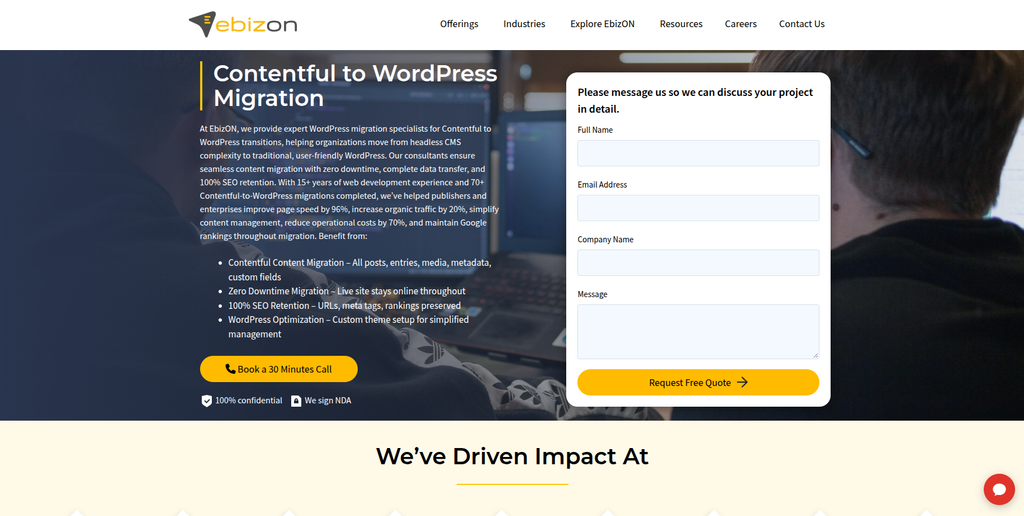
EbizON Digital is a strong option for businesses that need more than a basic content transfer. A Contentful website may include structured entries, assets, custom frontend components, integrations, SEO data, and different content relationships. EbizON Digital can be considered when these elements need to be mapped into a practical WordPress setup while also rebuilding the website experience. The migration can therefore cover both content movement and WordPress development requirements. This approach is useful for businesses that want the new WordPress website to remain flexible after launch.
- Structured content migration: Plan how Contentful entries and content types should map into WordPress.
- Custom WordPress development: Rebuild layouts and functionality that cannot simply be imported.
- Media migration: Move and reconnect important images, documents, and other website assets.
- SEO preservation: Review URLs, metadata, redirects, internal links, and indexable pages during migration.
- Best suited for: Businesses needing a Contentful CMS to WordPress migration with custom development support.
A Contentful migration can also be a chance to simplify how editors manage the website. Businesses planning a larger CMS change can explore EbizON Digital’s Contentful to WordPress migration services for content-heavy business websites when defining the migration, redevelopment, testing, and launch scope.
2. CMSTOWP
Structured Contentful CMS Migration for Businesses Moving to WordPress
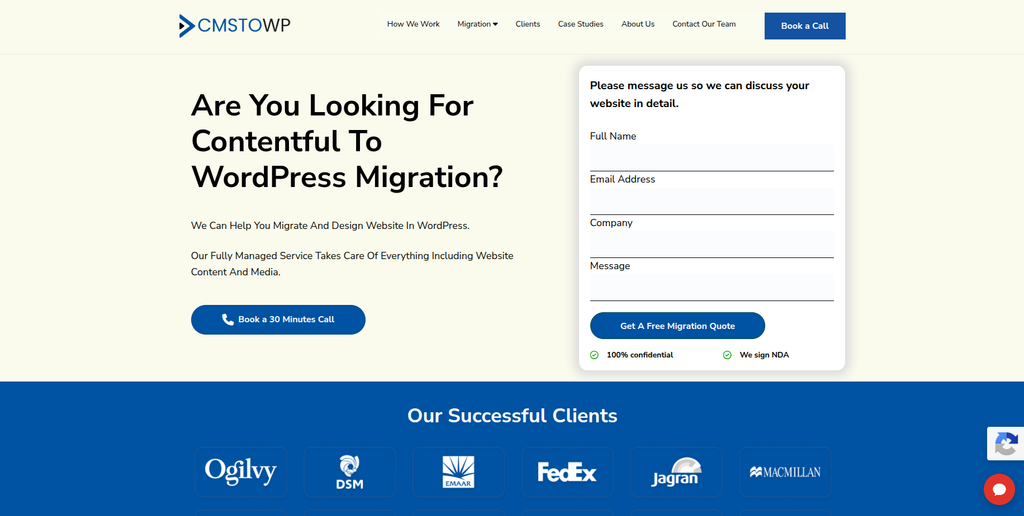
CMSTOWP is focused on helping businesses move websites from other content management systems to WordPress. That focus makes it relevant when the main goal is to move Contentful content into a WordPress structure without losing important website information. The project should begin by reviewing Contentful content types, entries, media, relationships, metadata, and URLs. These elements can then be mapped against WordPress posts, pages, custom post types, taxonomies, media, and custom fields. Businesses should also define redirect and testing requirements before the final launch.
- CMS migration focus: Relevant for projects centered around moving an existing CMS into WordPress.
- Content mapping: Useful for translating structured Contentful information into WordPress content.
- Asset handling: Important for transferring and reconnecting images and downloadable files.
- SEO migration: Existing URLs and valuable organic landing pages should be protected during the move.
- Best suited for: Businesses seeking a structured Contentful website migration to WordPress.
Before development begins, it helps to create a full inventory of what needs to move and what needs to be rebuilt. CMSTOWP provides a Contentful to WordPress migration solution for structured content and website data for businesses looking for a migration-focused approach.
3. Kickbyte
WordPress and CMS Development Support for Content Platform Modernization
Kickbyte is worth evaluating when the project is wider than a basic CMS transfer. Its public service information covers CMS and platform development, and it specifically lists WordPress among the platforms it builds and optimizes. The company also works with custom integrations and broader digital experience projects. Its published work shows experience with structured content migration on other CMS projects. Direct Contentful to WordPress migration experience should still be confirmed before selection.
- WordPress development: Publicly lists WordPress within its CMS development capabilities.
- CMS experience: Works with multiple content-management platforms and digital experiences.
- Integration capability: Relevant when the website connects with CRM, commerce, or other systems.
- Experience to verify: Ask for direct examples of Contentful migrations into WordPress.
- Best suited for: Businesses combining CMS migration with wider website modernization.
4. AARK Tech Hub
Custom WordPress Development for Businesses Rebuilding After Contentful
AARK Tech Hub offers web development, redesign, maintenance, CMS, and responsive development services. Its public website also includes WordPress work and states that its developers work with custom web solutions and third-party integrations. That can be useful when a Contentful migration also requires the destination WordPress website to be rebuilt or customized. However, general WordPress development should not be treated as proof of direct Contentful migration expertise. Businesses should ask the company to explain its proposed Contentful extraction, mapping, import, and QA process.
- Web development: Offers custom website development for different business requirements.
- WordPress exposure: Public portfolio and service information includes WordPress development.
- Integration support: Relevant where the new website needs connections with external services.
- Experience to verify: Request direct Contentful migration examples and technical methodology.
- Best suited for: Businesses needing WordPress redevelopment alongside CMS migration work.
5. Maverick Info Solutions
A Development Partner to Assess for Contentful Website Migration
Maverick Info Solutions is another company from the shortlist to consider during vendor research. For a Contentful to WordPress project, the key question is not simply whether a company can build a website. The team should be able to explain how structured Contentful data will become usable WordPress content. Businesses should ask for examples involving WordPress, CMS migrations, custom content structures, APIs, and media handling. Direct Contentful migration capability should be confirmed before the company is included in the final vendor shortlist.
- WordPress capability: Ask for recent WordPress development examples relevant to your website.
- CMS migration planning: Verify how Contentful content types and relationships would be mapped.
- Media handling: Confirm how images and other Contentful assets would be transferred.
- Experience to verify: Request evidence of Contentful or similar headless CMS migration work.
- Best suited for: Businesses prepared to qualify a development partner through technical discovery.
6. Infomagine
Open-Source CMS Development for Contentful to WordPress Projects
Infomagine publicly lists WordPress among the open-source technologies its developers work with. Its website also discusses custom templates, modules, functionality changes, web development, and several CMS and ecommerce technologies. This broader development background may be useful when the destination WordPress site requires custom functionality instead of a standard theme setup. For a Contentful migration, however, businesses should separately confirm experience with Contentful APIs and structured data. The technical discovery stage should explain exactly how existing content relationships will be recreated in WordPress.
- WordPress development: WordPress is included among the technologies listed publicly by the company.
- Open-source CMS experience: Relevant when moving into a more traditional open-source CMS environment.
- Customization: Can be evaluated where custom templates or functionality are required.
- Experience to verify: Confirm direct work with Contentful data, APIs, and headless CMS migrations.
- Best suited for: Businesses needing WordPress customization after structured CMS migration.
7. Strix Production Agency
A Website Development Option to Evaluate for Contentful CMS Migration
Strix Production Agency should be assessed against the actual technical requirements of the migration rather than simply general website experience. A Contentful project can contain connected entries, media, custom models, APIs, and frontend logic that may not map directly to normal WordPress pages. The agency should therefore be able to produce a clear content mapping document before development starts. Ask how reusable Contentful structures would be recreated using WordPress post types, taxonomies, blocks, or custom fields. Direct Contentful to WordPress project examples should be requested before making a final decision.
- Discovery process: Look for a complete review of the current Contentful website.
- Content architecture: Ask how structured content will be represented inside WordPress.
- Frontend rebuilding: Confirm how existing page components and templates will be recreated.
- Experience to verify: Request evidence of Contentful, headless CMS, and WordPress migration work.
- Best suited for: Businesses seeking a development-led Contentful CMS migration approach.
8. FiveFour54
A Digital Development Partner to Review for WordPress CMS Migration
FiveFour54 is another provider worth putting through a structured migration qualification process. The first stage should be an audit of the existing Contentful space and the live website that uses it. The team should identify content types, entries, assets, URLs, SEO information, integrations, and frontend dependencies before estimating the migration. Businesses should also ask how content editors will work inside WordPress after launch. Direct Contentful to WordPress migration experience should be verified rather than assumed from general digital development work.
- Content audit: Ask for an inventory of Contentful content and website dependencies.
- WordPress architecture: Review how the proposed WordPress content structure will work.
- Editorial experience: Make sure the new CMS is practical for non-technical content teams.
- Experience to verify: Ask for comparable CMS migration projects and Contentful experience.
- Best suited for: Businesses comparing custom Contentful to WordPress development partners.
9. Two Doors Digital
A WordPress Migration Partner to Assess for Content and SEO Requirements
Two Doors Digital should be evaluated based on how well its proposed process handles both the technical migration and the website’s existing search visibility. A CMS move can change URLs, page templates, navigation, internal links, metadata, and content structure at the same time. That creates risk if SEO is considered only after development is finished. Ask the company to provide separate content, URL, redirect, QA, and launch plans. Businesses should also verify direct experience migrating structured Contentful data into WordPress.
- Content planning: Review how pages, entries, categories, and reusable content will move.
- SEO planning: Require an inventory of valuable URLs before the website changes.
- WordPress setup: Confirm the destination content model before importing large amounts of content.
- Experience to verify: Request Contentful and comparable headless CMS migration examples.
- Best suited for: Businesses focused on content migration with SEO and website continuity.
10. SindTech
A Technical Development Option for Structured Content Migration to WordPress
SindTech completes this list of companies to investigate for a Contentful migration project. The provider should be evaluated on WordPress knowledge, API handling, structured data mapping, frontend development, SEO migration, testing, and post-launch support. A useful technical proposal should explain what can be automated and what needs manual rebuilding. It should also identify any Contentful functionality that cannot be transferred directly into WordPress. Ask for relevant migration examples before making the final selection.
- Technical discovery: Start with a review of Contentful content, assets, integrations, and frontend dependencies.
- Data mapping: Require a clear map between Contentful structures and WordPress content types.
- QA process: Test imported content, media, links, layouts, forms, and important functionality.
- Experience to verify: Confirm direct Contentful or similar headless CMS migration experience.
- Best suited for: Businesses looking for a technically planned Contentful to WordPress migration.
What Should Be Migrated From Contentful to WordPress?
A good migration starts with an inventory.
Do not assume everything in Contentful is simply a “page.” Contentful is built around structured entries and content models, so the migration team needs to understand how those entries connect.
Your migration checklist may include:
- Content types
- Entries
- Pages
- Blog posts
- Authors
- Categories
- Tags
- Images
- Documents
- Videos or external media references
- SEO titles
- Meta descriptions
- URLs
- Internal links
- Localized content
- Custom fields
- References between entries
- Forms
- Integrations
- Tracking scripts
- Structured data
Contentful’s official content import and export documentation explains how its CLI can export structures such as content types, entries, assets, and locales. It also highlights limitations that need special planning, including version history, workflows, scheduled releases, and some app-related configurations.
This is why the migration should start with discovery rather than immediately running an export script.
How Contentful Data Can Map Into WordPress
Contentful and WordPress organize information differently.
For example, a Contentful content type called “Case Study” could become a WordPress custom post type. Industries might become a taxonomy. Authors could become WordPress users or custom author records. Reusable content sections could become Gutenberg blocks, patterns, custom fields, or custom blocks.
A simple mapping might look like this:
| Contentful | Possible WordPress Destination |
|---|---|
| Content Type | Post Type or Custom Post Type |
| Entry | Post, Page, or Custom Post |
| Asset | WordPress Media Library |
| Reference | Relationship or Custom Field |
| Tags | Tags or Custom Taxonomy |
| Locale | Multilingual WordPress Structure |
| SEO Fields | WordPress SEO Metadata |
| Reusable Components | Blocks, Patterns, or Custom Fields |
WordPress’s official REST API documentation explains how applications can interact with WordPress content using JSON, while its API reference covers resources such as posts, pages, categories, tags, media, users, and custom post types.
The exact mapping should be decided before the full import begins.
Protect SEO During Contentful to WordPress Migration
SEO deserves its own migration plan.
A website can look perfect after launch and still lose organic traffic because important URLs changed or pages became difficult for search engines to find.
Before migration, export or crawl the current website and identify:
- Important organic landing pages
- Pages receiving backlinks
- Current URLs
- Page titles
- Meta descriptions
- Canonical URLs
- Indexability settings
- Internal links
- Image URLs
- Structured data
- XML sitemap URLs
- Redirects already in place
If a Contentful-powered URL changes when the page moves to WordPress, create an appropriate redirect to its new destination.
Google’s official site move guidance for URLs that change recommends mapping old URLs to new ones and using permanent server-side redirects where appropriate. Google also recommends monitoring the move after launch.
Avoid redirecting every old page to the homepage. The new destination should normally be the closest relevant replacement page.
Test the Migration Before Launch
Never make the first complete migration test on launch day.
Build a staging version of the WordPress website and migrate a sample first.
Choose different kinds of content, such as:
- A basic page
- A long blog article
- A page with several images
- A content item with relationships
- A page with downloadable documents
- A page with custom fields
- A high-traffic SEO page
- A multilingual page, if applicable
Check whether the information lands in the right place.
Then run the full migration and compare totals between both systems.
WordPress’s official content importing guidance also warns that failed imports can sometimes leave content behind, which may cause duplicates when an import is attempted again.
That makes backups, staging, logs, and validation important.
How to Choose the Best Contentful to WordPress Migration Company
1. Ask About Contentful Experience
Do not ask only, “Do you know WordPress?”
Ask whether the company understands Contentful content types, entries, assets, references, locales, APIs, and frontend dependencies.
A developer can be excellent at WordPress and still have little experience untangling a complex headless CMS.
2. Ask for a Content Mapping Plan
Before moving thousands of records, the company should explain where everything will go.
For example:
- Where will Contentful entries go?
- Which WordPress post types will be created?
- How will references work?
- How will reusable components be handled?
- How will assets move?
- How will localized content work?
- What happens to custom Contentful fields?
If the team cannot explain the mapping clearly, the project is not ready for migration.
3. Check SEO Migration Experience
SEO should be discussed before the new website is built.
The company should review existing URLs and create a migration plan covering redirects, metadata, internal links, canonical tags, sitemaps, robots directives, and important organic pages.
Google’s redirect guidance for Google Search provides useful background on how redirects help users and search engines reach the correct destination.
4. Ask How Assets Will Be Handled
Contentful may contain a large number of images and other digital assets.
Contentful says assets can be included with content during its export/import process, although special configurations can require additional handling.
Your migration company should explain whether assets will be downloaded, imported into the WordPress Media Library, renamed, optimized, and reconnected to the correct content.
Also check alt text and important image metadata.
5. Check Custom Functionality and Integrations
Your website may use Contentful as only one part of a larger technology stack.
Check for:
- CRM integrations
- Search services
- Marketing automation
- Forms
- Analytics
- Authentication
- Ecommerce
- APIs
- Personalization
- Translation tools
- Search functionality
- Third-party applications
Contentful itself provides several APIs for delivering, previewing, and managing content, so existing websites may rely heavily on API-based workflows.
These connections need to be identified before Contentful is removed.
6. Ask About Testing and Post-Launch Support
Migration does not end when WordPress goes live.
The team should test:
- Page content
- Images
- Internal links
- Forms
- Search
- Navigation
- Mobile layouts
- Redirects
- Metadata
- Analytics
- Tracking
- Site speed
- Integrations
- 404 errors
Agree on a post-launch support period before the project begins.
Contentful to WordPress Migration Checklist
Before launch, use a simple checklist.
Before Migration
- Audit Contentful content types
- Export URL inventory
- Identify high-value SEO pages
- Review assets
- Document integrations
- Identify custom frontend components
- Define WordPress content architecture
- Create redirect mapping
- Back up available data
During Migration
- Transfer content
- Import assets
- Create post types
- Rebuild relationships
- Transfer metadata
- Recreate templates
- Configure plugins
- Rebuild integrations
- Test sample records
Before Launch
- Crawl the staging website
- Compare important pages
- Test forms
- Test mobile layouts
- Check metadata
- Check canonical URLs
- Test redirects
- Check internal links
- Validate analytics
- Review XML sitemap
- Check robots settings
After Launch
- Crawl the live site
- Monitor 404 errors
- Check redirects
- Monitor Search Console
- Review analytics
- Test forms again
- Check important organic pages
- Fix broken links
- Monitor indexing
- Keep the old migration data available until validation is complete
FAQs About Contentful to WordPress Migration
1. What is Contentful to WordPress Migration?
Contentful to WordPress Migration is the process of moving website content and related information from Contentful into WordPress. It can include entries, pages, blog posts, assets, categories, authors, metadata, URLs, and structured content relationships. Custom frontend functionality may need to be rebuilt separately.
2. Can Contentful content be migrated to WordPress?
Yes. Contentful provides APIs and export tools that allow content and assets to be retrieved. The information then needs to be mapped into the correct WordPress structure.
3. Can images be moved from Contentful to WordPress?
Yes. Contentful assets can be exported or retrieved and then moved into WordPress. The migration team should make sure images are connected to the correct pages and that important alt text and metadata are preserved where required.
4. Will Contentful content types become WordPress post types?
They can, but they do not always have to. A Contentful content type might become a WordPress page, post, custom post type, taxonomy, block, or custom field structure. The best approach depends on how the content is used.
5. Will a Contentful to WordPress migration affect SEO?
It can if URLs, metadata, internal links, canonical tags, indexability, or content change without proper planning. URL mapping and redirects are especially important when existing URLs change.
6. Can we keep the same URLs after migrating to WordPress?
In many cases, WordPress can be configured to keep important URL structures. When an old URL cannot be preserved, it should normally be mapped to the most relevant new page using an appropriate permanent redirect.
7. How long does a Contentful to WordPress migration take?
The timeline depends on the amount of content, number of content types, frontend complexity, integrations, multilingual requirements, SEO needs, and design changes. A technical audit should happen before a reliable timeline is provided.
8. Can Contentful integrations be moved directly to WordPress?
Not always. Some integrations may need to be replaced with WordPress plugins, rebuilt using APIs, or developed as custom functionality. Every existing integration should be reviewed separately.
9. What should I check before choosing a Contentful migration company?
Check Contentful knowledge, WordPress experience, data-mapping skills, API experience, SEO migration planning, frontend development, QA, integration knowledge, and post-launch support. Ask for relevant examples rather than relying only on general web-development experience.
10. What should happen to Contentful after WordPress launches?
Do not shut down the old setup immediately. Keep access to the source data until the WordPress website has been fully checked. Validate content, assets, URLs, redirects, integrations, analytics, and SEO before removing anything that may be needed for recovery or comparison.
Conclusion
Moving from Contentful to WordPress can make sense when a business wants a different editing experience, more direct website control, a large plugin ecosystem, or a WordPress-centered content and marketing setup.
But Contentful to WordPress Migration needs careful planning.
Your team is not only moving words and images. It may also be moving structured entries, relationships, assets, URLs, metadata, integrations, and years of search visibility.
Start by auditing the current Contentful setup. Then define the WordPress content model, migration rules, SEO plan, redirects, testing process, and post-launch support.
The 10 companies covered above offer different types of web, CMS, development, and migration capabilities. For providers without publicly verified Contentful-specific examples, ask for evidence before making your final shortlist.
The best migration project is not the one that simply gets everything out of Contentful. It is the one that puts the content into WordPress in a clean, manageable structure that your team can actually use for years to come.